
Is Pencil.dev the Missing Link in Modern Agentic Development?
Posted 28 Jan 2026 · 4 min read
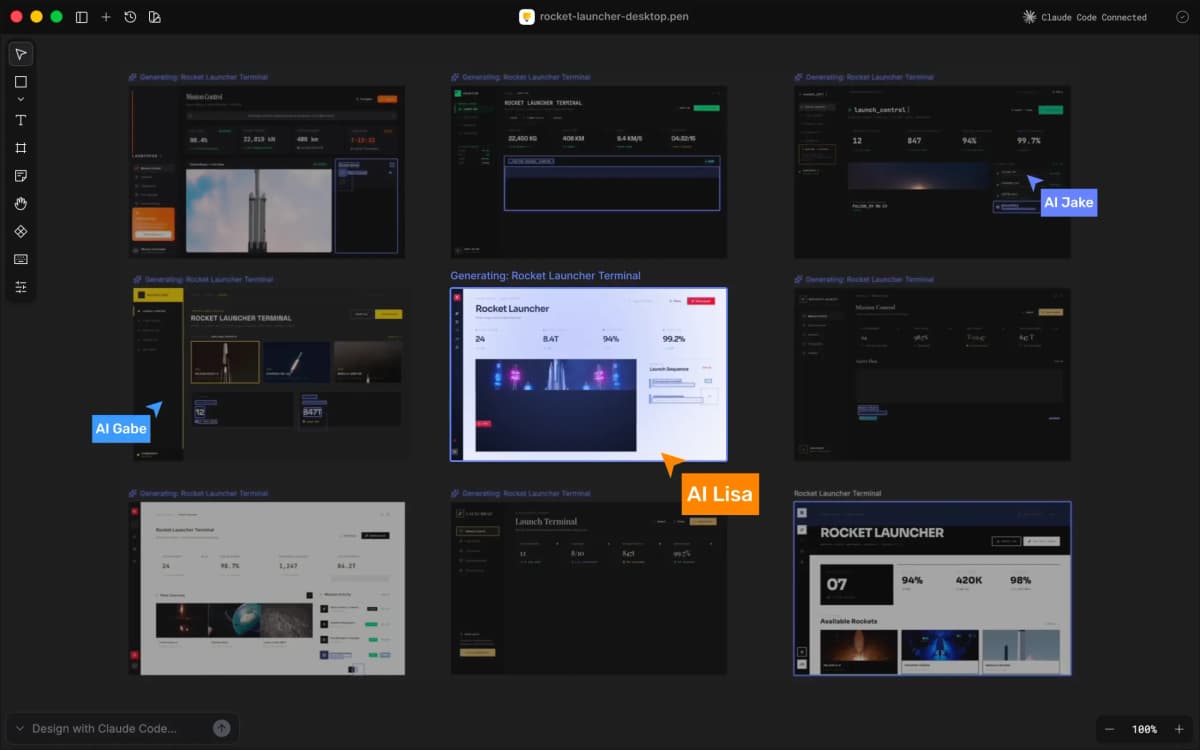
The way we build software is shifting. We are moving away from the era of manual syntax - typing out every bracket and div - and entering the era of modern agentic development.
In this new paradigm, the developer isn’t just a writer; they are an architect, directing autonomous AI agents to build, test and refine applications. But until now, there has been a glaring gap in this workflow: Design.
Enter Pencil.dev.
While tools like Cursor and Claude Code have revolutionised the backend logic, the frontend has remained stuck in the clumsy "handoff" phase between Figma files and VS Code. Pencil.dev changes this. It is the first tool to bring a pixel-perfect design canvas directly into your IDE, effectively closing the loop on the agentic workflow.
Here is why Pencil.dev is becoming essential for the modern vibe coder.
What is Modern Agentic Development?
Before dissecting the tool, we must define the movement. Modern agentic development is a software engineering approach where AI agents (autonomous programs capable of reasoning and tool use) handle the bulk of implementation.
Unlike the "autocomplete" AI of 2023 (think GitHub Copilot), modern agents don't just suggest lines of code; they manage entire tasks. They read your file structure, understand your project context and write production-ready code to your repository.
However, these agents have historically struggled with visual context. They can write a React component, but they cannot "see" if the padding looks off.
How Pencil.dev Bridges the Visual Gap
Pencil.dev positions itself as the "Design Mode for your IDE". It allows developers to treat UI design not as a static image, but as a living part of the codebase.
1. The Death of the "Handoff"
Traditionally, a designer works in Figma and a developer painstakingly translates those vectors into CSS. In a modern agentic development workflow using Pencil, you can copy-paste frames directly from Figma into the Pencil canvas inside VS Code. The AI agent then instantly converts these visuals into clean, component-based code (React, Tailwind, HTML) that respects your existing project structure.
2. Native to the Repository
This is the game-changer. Pencil files (.pen) are JSON-based and live inside your Git repository. This means your design is version-controlled just like your code. When you branch your code, you branch your design. If you roll back a feature, the UI rolls back with it. This brings a level of rigour to design that has never existed before.
3. Powered by MCP (Model Context Protocol)
Pencil isn't just a drawing tool; it is an intelligent workspace. It leverages the Model Context Protocol (MCP) to give AI agents (like Claude Code) full read/write access to your project. You can drop a sticky note on the canvas saying, "Change this button to match our primary brand colour and wire it to the auth provider," and the agent executes the logic and the style simultaneously.
Why This Matters for "Vibe Coders"
We are seeing the rise of the "vibe coder"—a developer who focuses on high-level intent and user experience (the "vibe") while letting AI handle the implementation details.
For the vibe coder, context switching is the enemy. Every time you Alt-Tab to a browser to check a Figma prototype, you break flow. Pencil.dev keeps you in the editor. You design, code and deploy from a single window.
My Verdict
Modern agentic development is about speed, precision and autonomy. By integrating a visual interface directly into the coding environment, Pencil.dev solves the last major friction point in AI-assisted engineering.
It transforms the IDE from a text editor into a full-stack product creation suite. If you are serious about leveraging AI agents to build software faster, it is time to put down the external design tools and pick up Pencil.